Claude, with a filing cabinet
Folders in the sidebar, search that reads every message, export in four formats — added to claude.ai by an extension that keeps all of it on your machine.
What Claude leaves you to do by hand
None of this is a complaint about the model. It's the filing cabinet that never got built.
Found it, then lost it again
Claude's search does look inside messages now. But once you've found the chat, there's nowhere to put it, so next week you search for the same thing all over again.
One flat list, newest first
No folders, no tags, no grouping of any kind. A few hundred conversations in, scrolling is the only navigation you have left.
Export means copy-paste
No Markdown, no PDF, no JSON. Moving a conversation into a document means selecting it by hand and losing every code block on the way.
What it adds to Claude
Three places, one extension — and a floating button that still works if Claude redesigns its sidebar tomorrow.
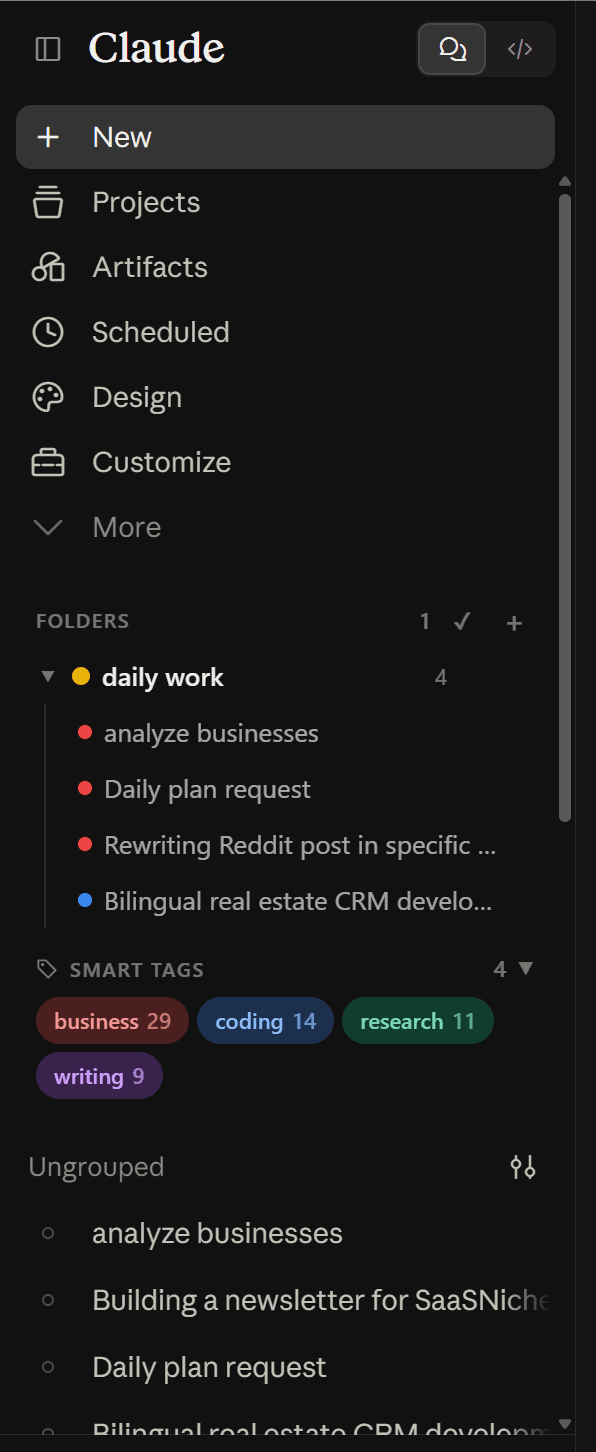
Folders and smart tags
Nested, colour-coded folders above your chat list, with an automatic tag panel beneath.
Export and bookmarks
Export the open conversation, or star the reply you'll want again, without leaving the page.
Everything, from one menu
Search, folders, bookmarks, prompts, export and settings — deliberately independent of the host UI.
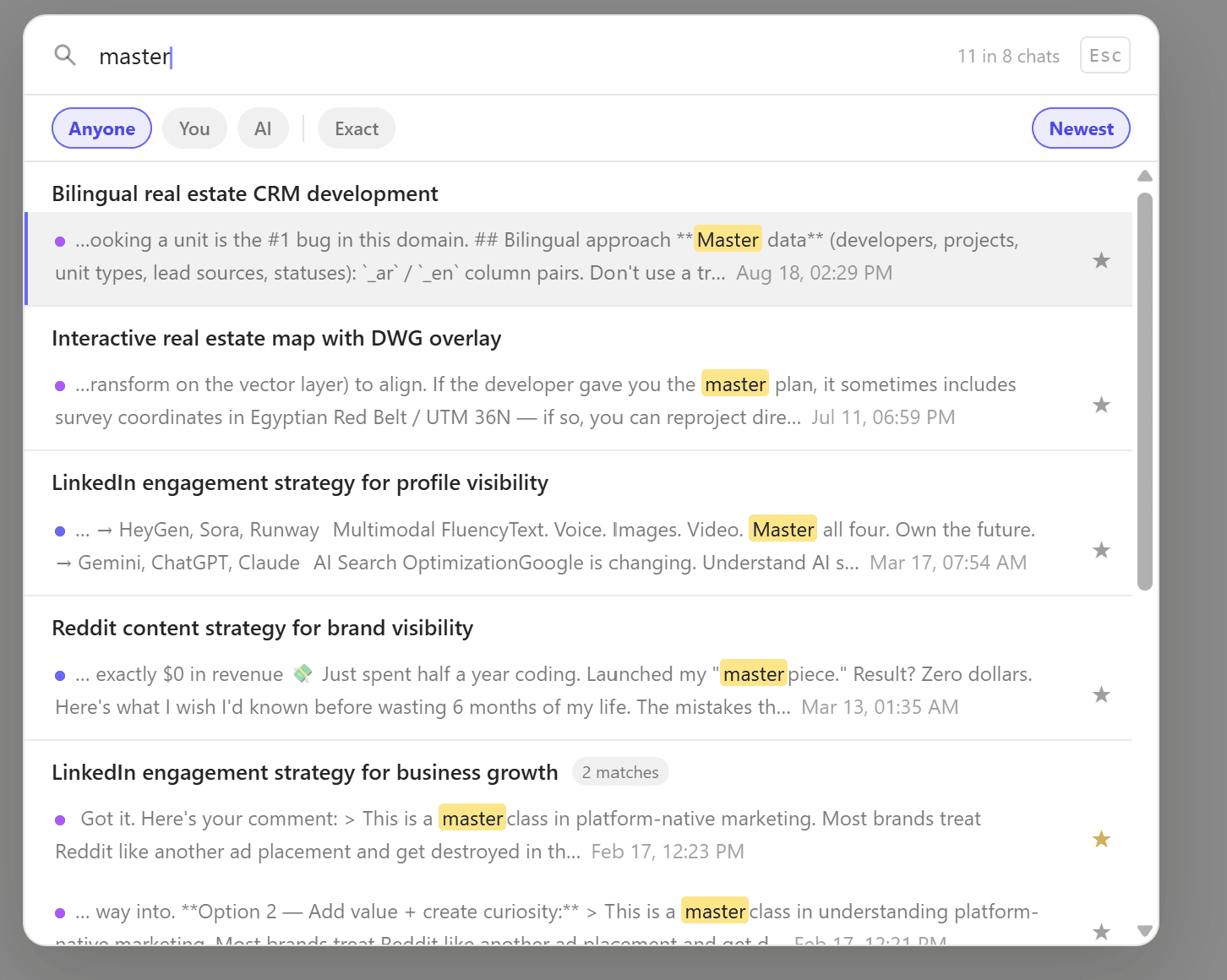
Every message, on your machine
Claude's own search reads messages now, but only from the Chats page and only online. ChatPeer indexes every message locally, so you can search from inside any conversation, filter by who said it, and match an exact phrase.
The full toolbox on Claude
Questions about Claude
ChatPeer mounts into Claude's sidebar using stable structural selectors, not hashed CSS class names that change on every deploy. If a selector does break, ChatPeer notices — it watches its own mount points and flags one that goes missing — and the floating button, which doesn't depend on Claude's layout at all, still gets you to search, bookmarks and export while we ship a fix to the adapter layer. Your local data is unaffected either way.
ChatPeer works on claude.ai with a standard account. Teams and Enterprise plans use the same interface, so it should work there too — but we haven't formally tested every Enterprise configuration.
Yes. The free tier includes 2 folders, 2 bookmarks, 2 saved prompts, 5 search results, and TXT export — plus smart tags, the context meter, and all five interface languages, which aren't gated at all. You don't need a license to try it.
ChatPeer reads your conversations through Claude's own API using your existing session, the same way the Claude web app does. It stores message text in your browser's IndexedDB only — not on any server.
Add it to Claude
Free to install. No account required.