Tags you don't have to file
Coding, Writing, Research, Math & Science, Business — applied automatically by keyword rules that score on your device, with no model call and no cost per conversation.
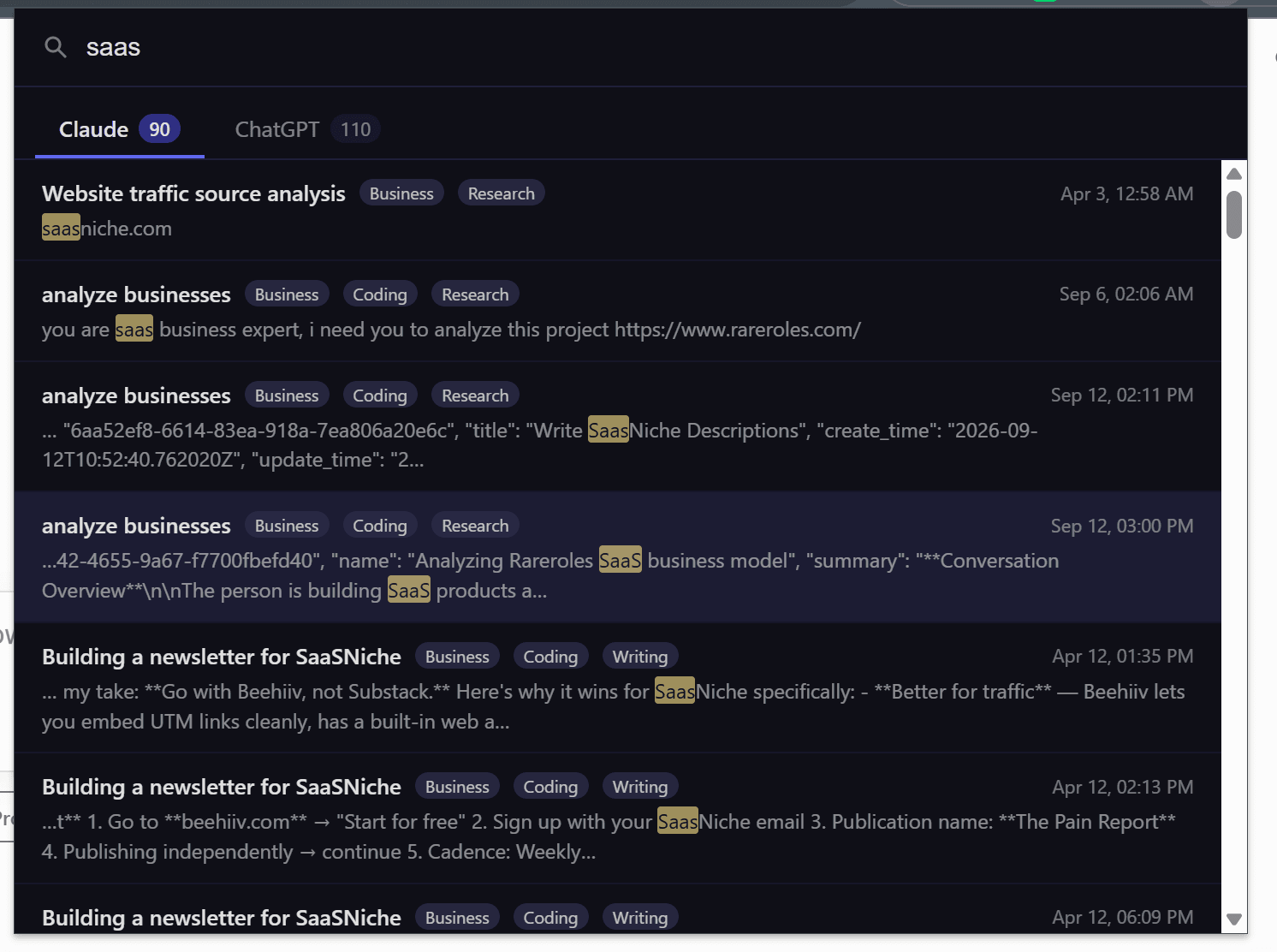
Each category is a scored keyword rule rather than a single-word trigger, so a passing mention doesn't tag a whole conversation. On Claude, ChatPeer classifies from the written summary Claude's own API returns, which beats keyword-matching a transcript; ChatGPT exposes no equivalent, so those are scored from message text.
Nothing, for the built-in five — tags appear on conversations, on search results, and in a Smart Tags panel under your folders with a count each. Click a tag to see what it covers. In options you can add your own rule: a name and a list of keywords, then retag your whole history in seconds.
The five built-in categories are free; your own rules are premium. Tags are computed rather than hand-edited — to correct one, change the rule that produced it and retag.
Folders require a decision. Every conversation you file is a small act of admin, and the ones you don't file — which is most of them — stay in the undifferentiated pile. Smart tags fill that gap by labelling conversations without you doing anything. ChatPeer ships five built-in categories — Coding, Writing, Research, Math & Science, and Business — each defined by a set of keywords and a scoring threshold, so a passing mention of one term isn't enough to tag a whole conversation. Classification runs entirely on your device against data ChatPeer already stores locally. On Claude there's an additional advantage: Claude's own API returns a written summary of each conversation, and ChatPeer classifies from that summary rather than the raw transcript, which is both faster and markedly more accurate than keyword-matching a wall of text.
The five built-in categories
Coding covers programming vocabulary — functions, stack traces, deployment, specific languages. Writing covers drafting, editing, tone, and structure. Research covers sources, citations, methodology, and comparison. Math & Science covers equations, proofs, and the natural sciences. Business covers revenue, pricing, customers, and strategy. Each is a scored keyword rule, not a single-word trigger: a conversation needs several distinct matches before it earns the tag, which keeps incidental mentions from mislabelling things.
Custom rules for your own vocabulary
The built-in categories are general by design. Your work probably has its own vocabulary — a client name, a product, a stack. In the extension's options page you can add your own rule: give it a name and a comma-separated list of keywords, and every conversation is re-scored against it. Custom rules sit alongside the built-in ones and can be switched off individually. Custom rules are a premium feature; the five built-in categories are free.
Why summaries beat transcripts
Keyword-matching a full transcript is noisy: a long conversation touches many subjects and accumulates matches for all of them. Claude's list endpoint returns a written digest of each conversation, and ChatPeer classifies from that when it's available — it's a description of what the conversation was actually about rather than every word that appeared in it. ChatGPT doesn't expose an equivalent, so those conversations are classified from message text instead. The choice is made per conversation based on what data exists, so if a platform starts providing summaries it gets the better result automatically.
Browsing by tag
Tags aren't only labels on a row. A Smart Tags section sits in the sidebar under your folders, listing every tag with the number of conversations carrying it — 'Coding 14', 'Research 3'. Click one and the conversations it covers open beneath it. Colours are fixed per tag, so the same category always looks the same wherever it appears, and the section collapses and remembers that between sessions. It's the view that answers 'what have I actually been using this for' without any filing on your part.

Nothing is sent anywhere
Classification is keyword scoring, running in your browser's service worker against conversations already stored in local IndexedDB. There is no model call, no API request, and no cost per conversation. Re-tagging your entire history after editing a rule takes seconds and happens entirely offline.
Questions about this feature
No. It's keyword rules with scoring thresholds, running on your device. That's why it's instant, free of per-conversation cost, and works offline.
You can edit the rules that produced it. Adding or removing keywords and re-running 'Retag all conversations' from the options page re-scores your whole history against the updated rules.
The five built-in categories are free. Creating your own rules is a premium feature.
Claude's API returns a written summary of each conversation, which is a much better classification input than raw message text. ChatGPT provides no equivalent, so those are classified from the transcript.
Stop scrolling for it
Free to install. No account required.