Folders in ChatGPT's sidebar
ChatGPT's history has no folders. ChatPeer adds a nested, colour-coded tree above it — independent of OpenAI's Projects, and stored in your browser.
The tree lives in IndexedDB against chatgpt.com and survives closing the tab. ChatGPT folders are kept separate from Claude and Grok folders, because a structure that suits one rarely suits another, and OpenAI's own Projects are untouched.
Click '+' to create a folder, then open a conversation and click '+' on the folder it belongs in — or use 'Add chats…' to tick several off a searchable list. Multi-select in the panel header covers bulk removal and bulk export.
Free keeps 2 folders, subfolders included; premium removes the cap. Multi-select and bulk remove are free; exporting a selection as a ZIP is premium.
ChatGPT has custom GPTs, memory, and projects — but projects are tied to specific GPT instances, not to your conversation history as a whole. The main conversation list has no folders. Once you accumulate more than a few weeks of chats, the only way to find something is to remember part of the title and scroll until you spot it. ChatPeer adds a folder tree to ChatGPT's sidebar. Create folders for whatever you like — client, project, topic, or timeframe — and file the conversation you're reading into one with a single click. Smart tags label each conversation automatically alongside the folder you filed it under. The folder structure lives in your browser's IndexedDB and doesn't require any change to your OpenAI account.
Creating folders in ChatGPT
The ChatPeer panel appears above ChatGPT's conversation history. Click '+' to create a folder. Name it, optionally assign a colour, and it's ready. Folders are specific to ChatGPT — Claude and Grok folders are tracked separately, even though one licence covers all three platforms.
Assigning conversations to folders
Open a conversation, then click the '+' on the ChatPeer folder you want it in. For a backlog rather than a single chat, 'Add chats…' opens a searchable list of every conversation in your ChatGPT history and lets you tick off as many as you want in one pass. The conversation still appears in ChatGPT's own list either way — ChatPeer overlays an organisational layer without touching OpenAI's data. Click the '×' beside a filed conversation to remove it from the folder again.
Subfolders and reordering
Folders nest to any depth. Right-click a folder — or click the '⋮' on its row — and choose 'New subfolder'. Drag a folder onto a sibling to reorder it, or onto another folder to move it inside; 'Move to…' does the same thing without dragging, and only ever offers folders that can legally hold the one you're moving. Manual order is the default and persists, with sort-by-name and sort-by-recent available when you'd rather not maintain it yourself.
Manage Folders
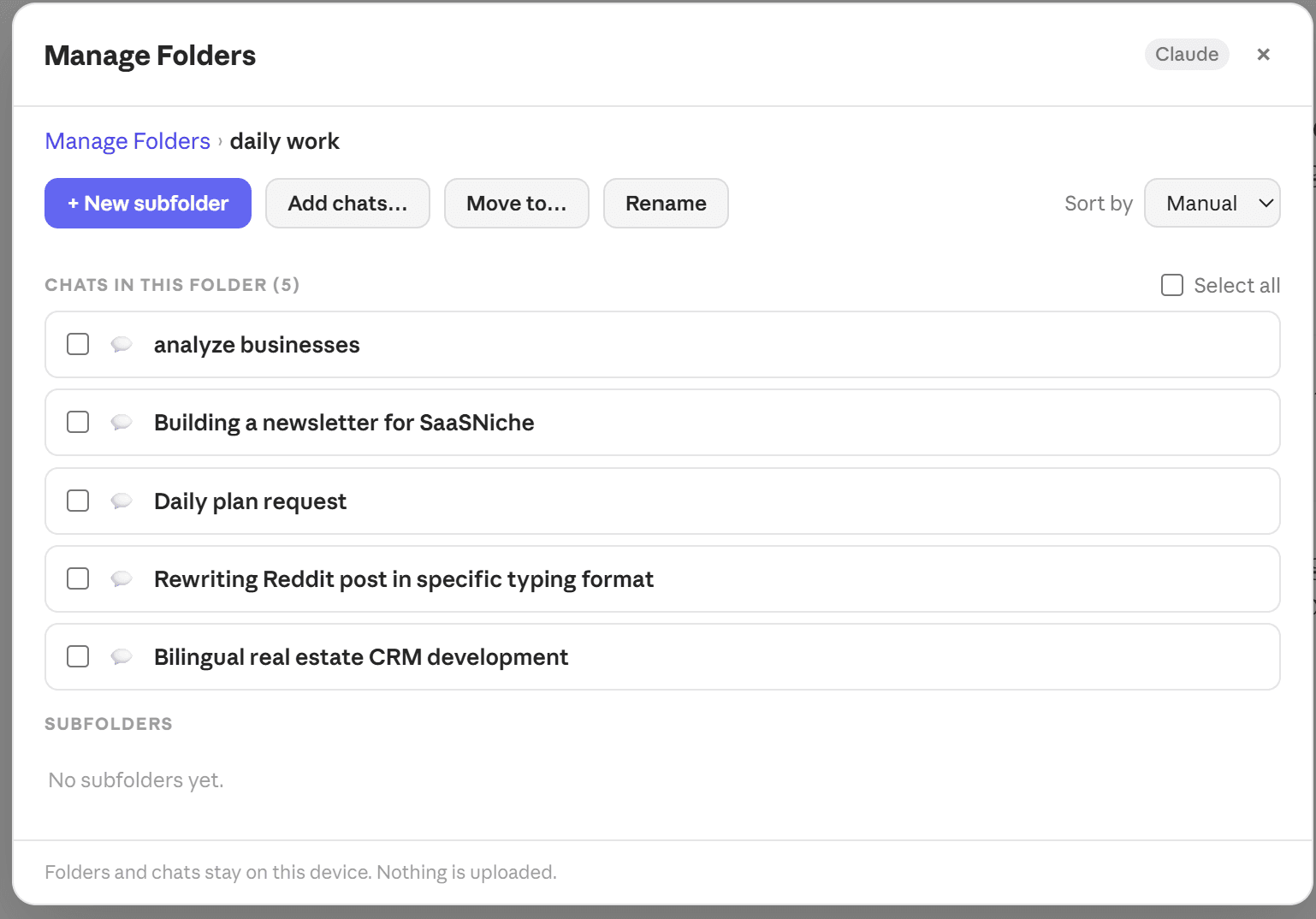
Open Manage Folders from the '⚙' in the panel header or from the floating launcher. It gives one folder at a time a full-width view — breadcrumb, the chats inside it, its subfolders, and every folder action on one row. Checkboxes let you select several chats and remove them from a folder together. It's the surface for reorganising; the sidebar tree stays the surface for day-to-day use.
Multi-select and bulk actions
Toggle multi-select in the ChatPeer panel header to pick several conversations at once, then remove them from their folders, delete them, or export the lot as a ZIP. Bulk export is a premium feature; multi-select and bulk remove are free.
Shared structure across sessions
Because the folder structure is in IndexedDB tied to chatgpt.com, it persists across browser sessions. Close the tab, come back tomorrow, and your folders are exactly as you left them.
Questions about this feature
Yes. Each platform has its own folder tree, kept separately so a work folder on ChatGPT doesn't clutter your Claude sidebar. Every paid plan — Monthly, Lifetime, or All Access — unlocks every platform's tree, Grok's included.
Yes, to any depth. Right-click a folder and choose 'New subfolder', or use 'Move to…' to put an existing folder inside another. Every folder and subfolder counts towards your plan's folder limit.
No. ChatPeer's folders are completely independent of OpenAI's Projects. They coexist without conflict.
The folder data remains in your browser's IndexedDB until you clear site data for chatgpt.com. Reinstalling ChatPeer will find it again. Uninstalling doesn't delete local storage.
Stop scrolling for it
Free to install. No account required.