Claude, straight into your notes
A .md file with YAML frontmatter, one section per message, and code blocks that keep their language tags — ready for Obsidian, Notion or a repository.
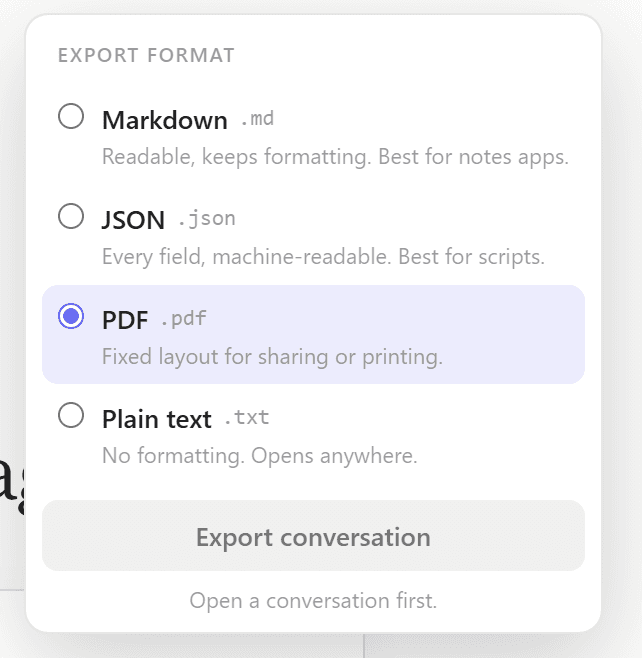
The exporter reads Claude's content blocks, which carry the language identifier for each code block, and writes standard CommonMark under a YAML header holding the title, platform, export time and message count.
Click Export in the conversation header and choose Markdown. Each message becomes a '## Human' or '## Assistant' section with its timestamp, separated by horizontal rules. Artifacts are included inline as labelled code blocks.
Markdown export is premium; TXT is free. Wiki-links are not added for you — the frontmatter and heading structure are there for you or an Obsidian plugin to build on.
Researchers, writers, and developers often use Claude as a thinking partner and then want to capture the output in their notes or documentation. Claude's 'Share' feature creates a public link, which isn't useful for a private knowledge base. Copy-pasting loses timestamps, role labels, and any structure above the paragraph level. ChatPeer's Markdown exporter produces a well-structured .md file with YAML frontmatter containing the conversation title, platform, export date, and message count. Each message becomes a properly labelled section. Code blocks retain their language tags. The result opens cleanly in Obsidian, Notion's Markdown import, VS Code, Typora, or any standard Markdown viewer.
YAML frontmatter
Every exported Markdown file begins with a YAML block:
---
title: "Your conversation title"
platform: claude
conversation_id: "…"
created: 2026-09-01T10:30:00Z
updated: 2026-09-02T08:12:00Z
exported: 2026-09-27T09:00:00Z
messages: 42
tags: [ai-chat, claude]
source: chatpeer
---
This makes the file parseable by tools like Obsidian's Dataview plugin or any script that processes frontmatter metadata.
Message structure
Each message renders as a second-level heading (`## Human` or `## Assistant`) followed by the message timestamp in italic and then the message body. Messages are separated by horizontal rules. This structure preserves readability whether you're viewing it as rendered Markdown or as plain text.
Code block preservation
Claude frequently produces code. The Markdown exporter reads the content blocks from Claude's API response, which include the language identifier for code blocks. Exported files render syntax-highlighted code when opened in any Markdown viewer that supports it.
Obsidian and Notion compatibility
The export format is intentionally conservative — standard CommonMark Markdown with YAML frontmatter. It drops into an Obsidian vault as a note, imports into Notion via their Markdown import feature, and opens without issues in GitHub, GitLab, or any code repository.
Questions about this feature
Markdown export is a premium feature. TXT export is available on the free tier.
ChatPeer doesn't add [[wiki-links]] automatically, but the YAML frontmatter and clean heading structure make it easy to add them manually or with an Obsidian community plugin.
Claude Artifacts (code, documents, SVGs) are attached to specific messages. The Markdown exporter includes the artifact content inline, labelled as a code block with the appropriate language tag.
Stop scrolling for it
Free to install. No account required.