Folders in Claude's sidebar
Claude's sidebar is one flat list. ChatPeer puts a nested, colour-coded folder tree above it, and files the conversation you're reading with one click.
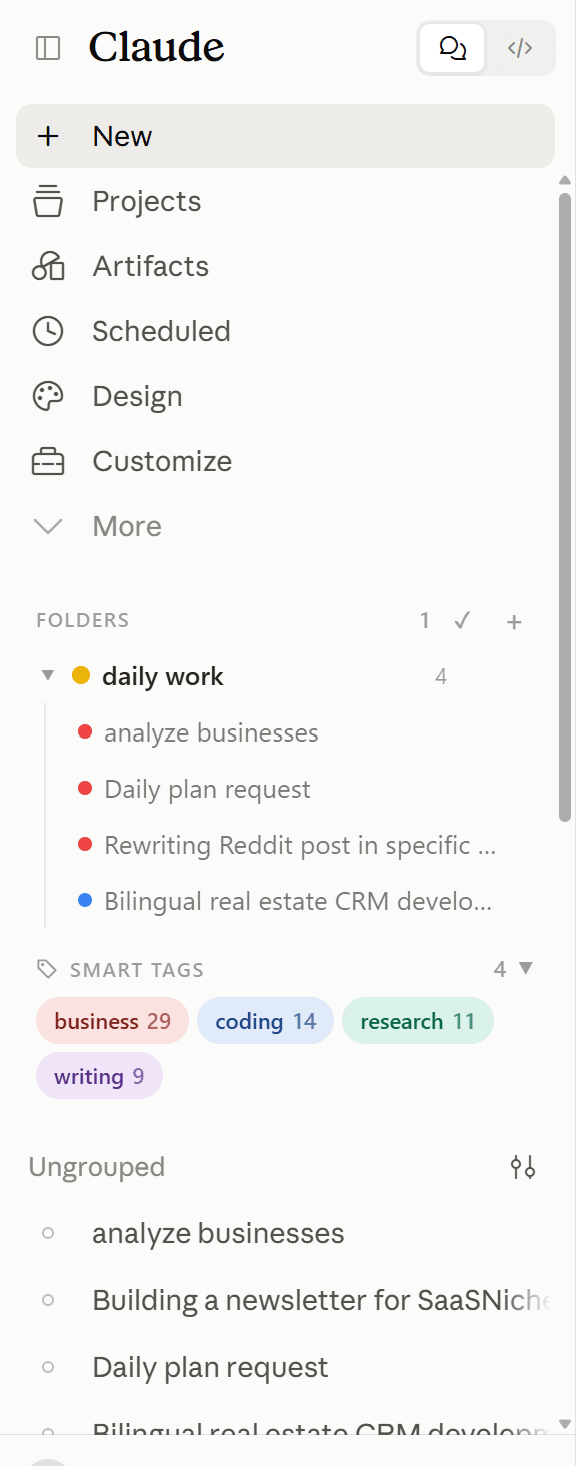
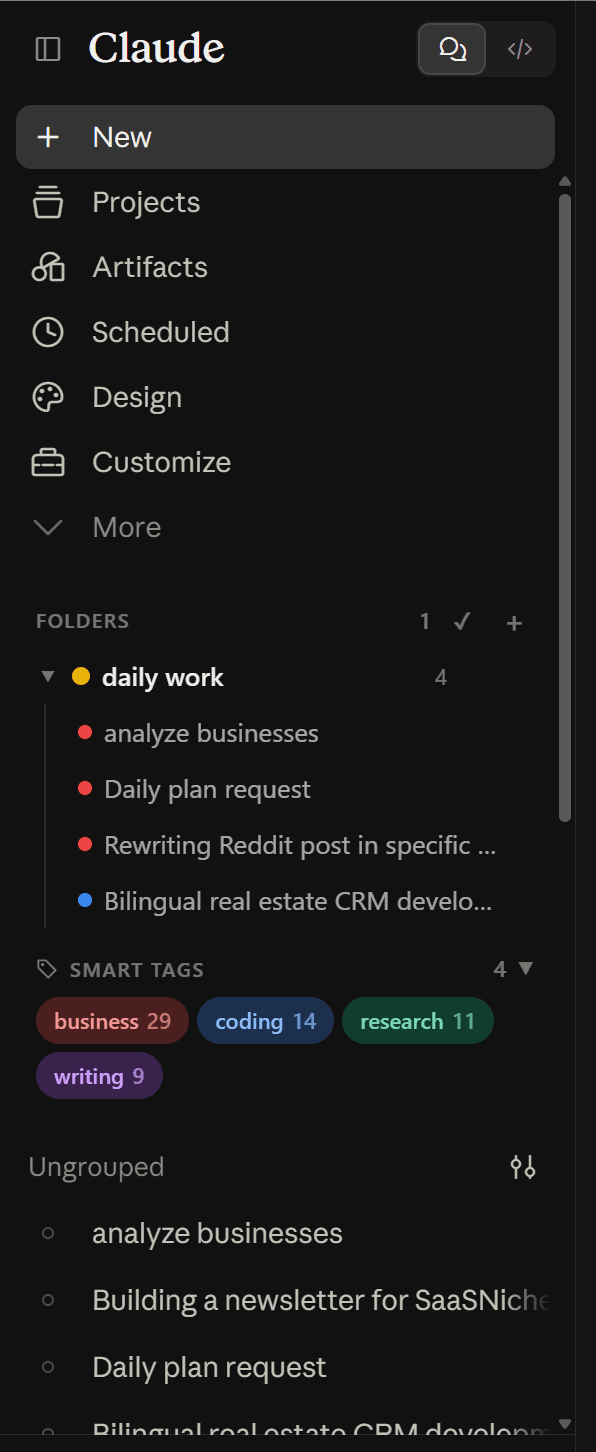
The tree is drawn into Claude's own sidebar and stored in your browser's IndexedDB. Nothing changes on Anthropic's side: a conversation you file stays exactly where it was in Claude's list, and ChatPeer only adds a structure on top of it.
Click '+' to create a folder, name it, give it a colour. Open a conversation and click '+' on the folder it belongs in, or use 'Add chats…' to tick several off a searchable list. Folders nest to any depth and drag to reorder.
Free keeps 2 folders, subfolders included; premium removes the cap. Dragging works on folders rather than individual conversations. Clearing site data for claude.ai clears the tree with it.
Claude is an excellent thinking partner, but its sidebar quickly becomes an undifferentiated wall of conversations. There's no way to separate client work from personal projects, research threads from drafts, or archived experiments from active chats. Once you pass fifty or sixty conversations, anything older than last week might as well not exist. ChatPeer fixes this by injecting a folder tree directly into Claude's sidebar. You create folders, name them, and colour-code them, then file the conversation you're reading into one with a single click. Each folder also shows the smart tag ChatPeer worked out for its conversations, so you can see at a glance what a folder actually contains. The structure is stored in your browser's IndexedDB — no Claude account change, no server, nothing that could break when Anthropic ships an update.
Creating and naming folders
Click the '+' icon in the ChatPeer sidebar panel to create a new folder. Give it any name — project names, client names, topic areas. You can rename it at any time by double-clicking the label. Free accounts can create up to 2 folders; premium accounts have no limit.
Filing a conversation
Open the conversation you want to file, then click the '+' on the folder you want it in. It's built around the way people actually sort chats: you read one, realise where it belongs, and file it there and then. When you're organising in bulk instead — catching up on a backlog rather than filing as you go — 'Add chats…' opens a searchable list of every conversation on the platform and lets you tick off as many as you like at once. The conversation stays in Claude's own list either way. ChatPeer layers an organisational structure on top; it doesn't move or alter anything on Anthropic's side.
Subfolders
Folders nest. Right-click any folder — or use the '⋮' button on its row — and choose 'New subfolder' to create one inside it. A client folder can hold a folder per engagement; a research folder can hold one per question. Nesting is drawn as a guide rail rather than deeper and deeper indentation, because a sidebar is roughly 230 pixels wide and every level of indent comes straight out of the conversation titles you're trying to read.
Reordering and moving
Drag a folder onto one of its siblings to change the order, or drop it onto a folder at another level to move it inside. If you'd rather not drag, 'Move to…' in the context menu lists every folder that can legally hold this one — its own subfolders are excluded, because moving a folder inside itself would detach that whole branch from the tree. Manual order is the default and is remembered; you can switch to sorting by name or by most recently used instead.
Collapsing the tree
Folders collapse and expand from the disclosure arrow — or by clicking anywhere on the folder row — and the collapsed state is remembered between sessions. On a long list you can fold away everything except the project you're working on today.
Colour coding
Each folder has an optional colour swatch. Eight presets. A quick visual scan tells you which area of work you're looking at before you read a single label.
Removing conversations
Hover a conversation inside a folder and click the '×' to take it out again. Removing it from a folder never deletes the conversation from Claude — it only removes ChatPeer's association.
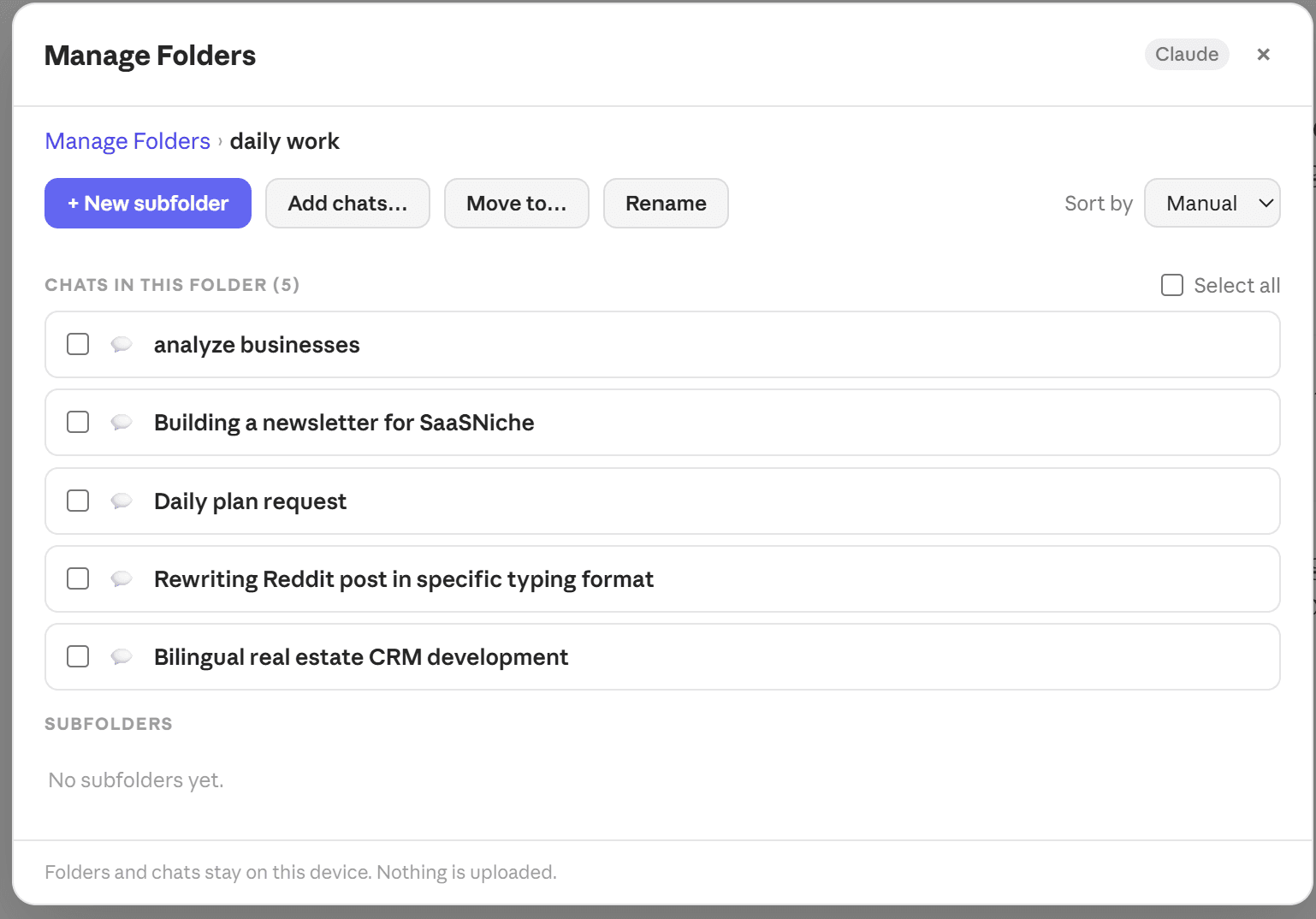
Manage Folders
The sidebar is where folders get used; Manage Folders is where they get reorganised. Open it from the '⚙' in the panel header or from the floating launcher. It gives you a breadcrumb view of one folder at a time: the chats inside it, its subfolders, and the full set of actions on one row — new subfolder, add chats, move, rename. Select several chats with the checkboxes to pull them out of a folder in one go. It exists because a 230-pixel sidebar can hold a tree and a couple of hover actions, but not bulk selection, a move-target picker and a subfolder listing at the same time.
Questions about this feature
No. Folder structure is stored entirely in your browser's IndexedDB. Anthropic's systems see no change whatsoever.
Yes, to any depth. Right-click a folder and choose 'New subfolder', or use 'Move to…' to put an existing folder inside another one. Every folder and subfolder counts towards your plan's folder limit.
No — IndexedDB is cleared when you clear site data. Don't use 'Clear browsing data' → 'Cookies and site data' for claude.ai if you want to keep your folder structure.
Yes. ChatGPT, Claude and Grok each have their own independent folder trees, and every paid plan covers all three platforms.
Yes. Drag a folder onto a sibling to change the order, or onto a folder at another level to nest it inside. Manual order is remembered between sessions.
Not yet — dragging works on folders, not on individual conversations. To file a conversation, either open it and click '+' on the target folder, or use 'Add chats…' to tick several off a searchable list at once. Dragging conversations is on the roadmap.
Stop scrolling for it
Free to install. No account required.