Type // and your prompt is there
Save a prompt once and insert it from the composer. Chain up to 25 steps that run in sequence, with placeholders filled in before the run starts.
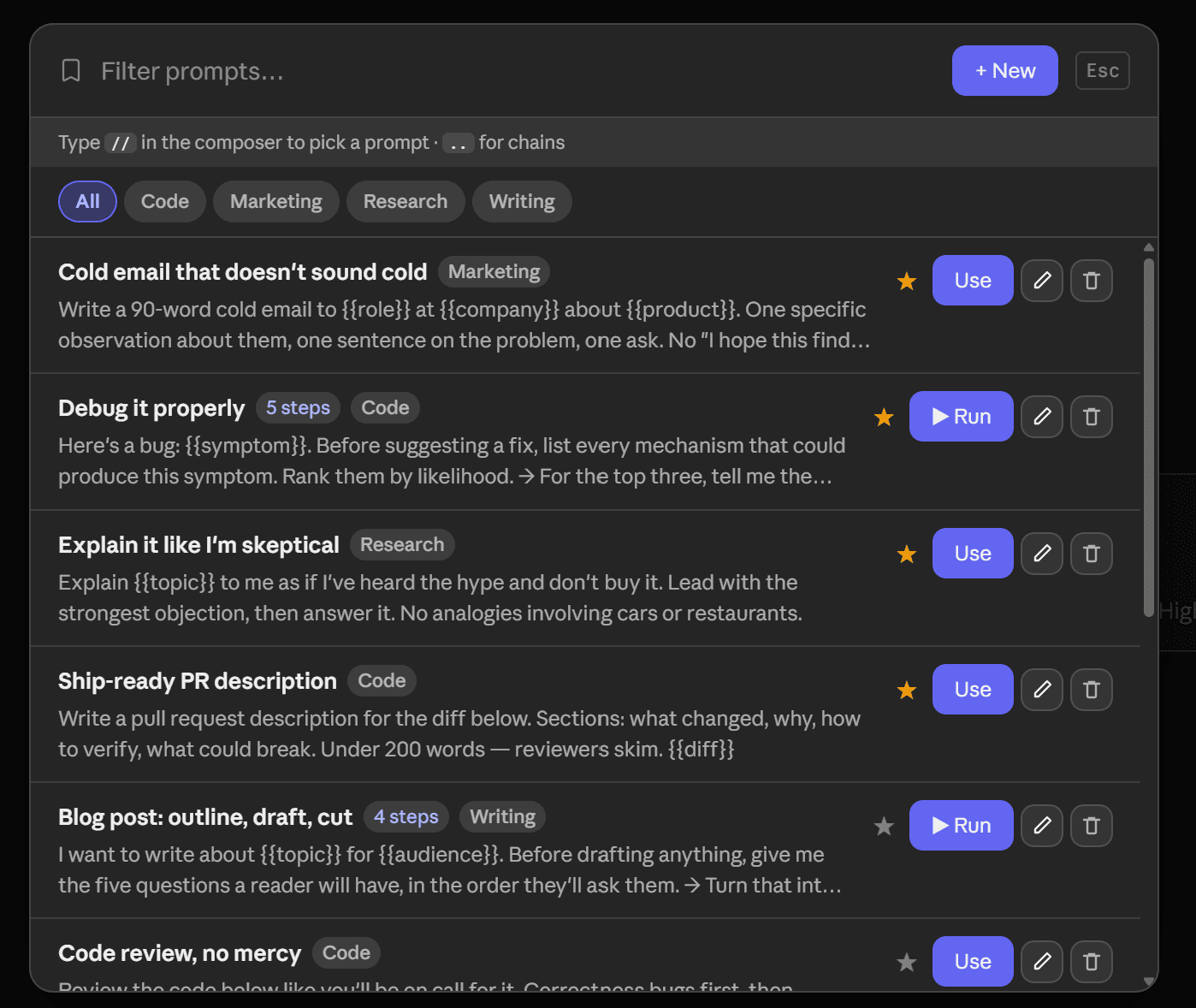
Prompts live in extension storage rather than per-site storage, so one collection serves ChatGPT, Claude and Grok — unlike folders, which are deliberately kept apart. A chain waits for the assistant to finish streaming before submitting the next step, rather than firing on a timer. Chains run on ChatGPT and Claude; they are not available on Grok yet.
Type // in the composer and a picker appears; keep typing to filter, Enter inserts, and the trigger text is replaced by the prompt body. Type .. to run a chain. Write {{client}} or {{deadline}} in its steps and ChatPeer asks for those values once, before the run.
Free saves 2 prompts; premium has no limit. Chains can be 25 steps on every plan, free included. A running chain can be stopped from its indicator — nothing already sent is undone.
Anyone who uses AI for real work ends up with a handful of prompts they type again and again — a review checklist, a house style, a particular way of framing a research question. Most people keep them in a notes app and paste them across, which means leaving the page, finding the right note, and copying carefully. ChatPeer puts them one keystroke away instead. Save a prompt once, then type // in the composer and pick it from a list that filters as you type; the // is replaced by the prompt body. Prompts are stored per account rather than per site, so the collection you build on Claude is the same one you have on ChatGPT and Grok — unlike folders, which are deliberately kept separate per platform.
Inserting a prompt with //
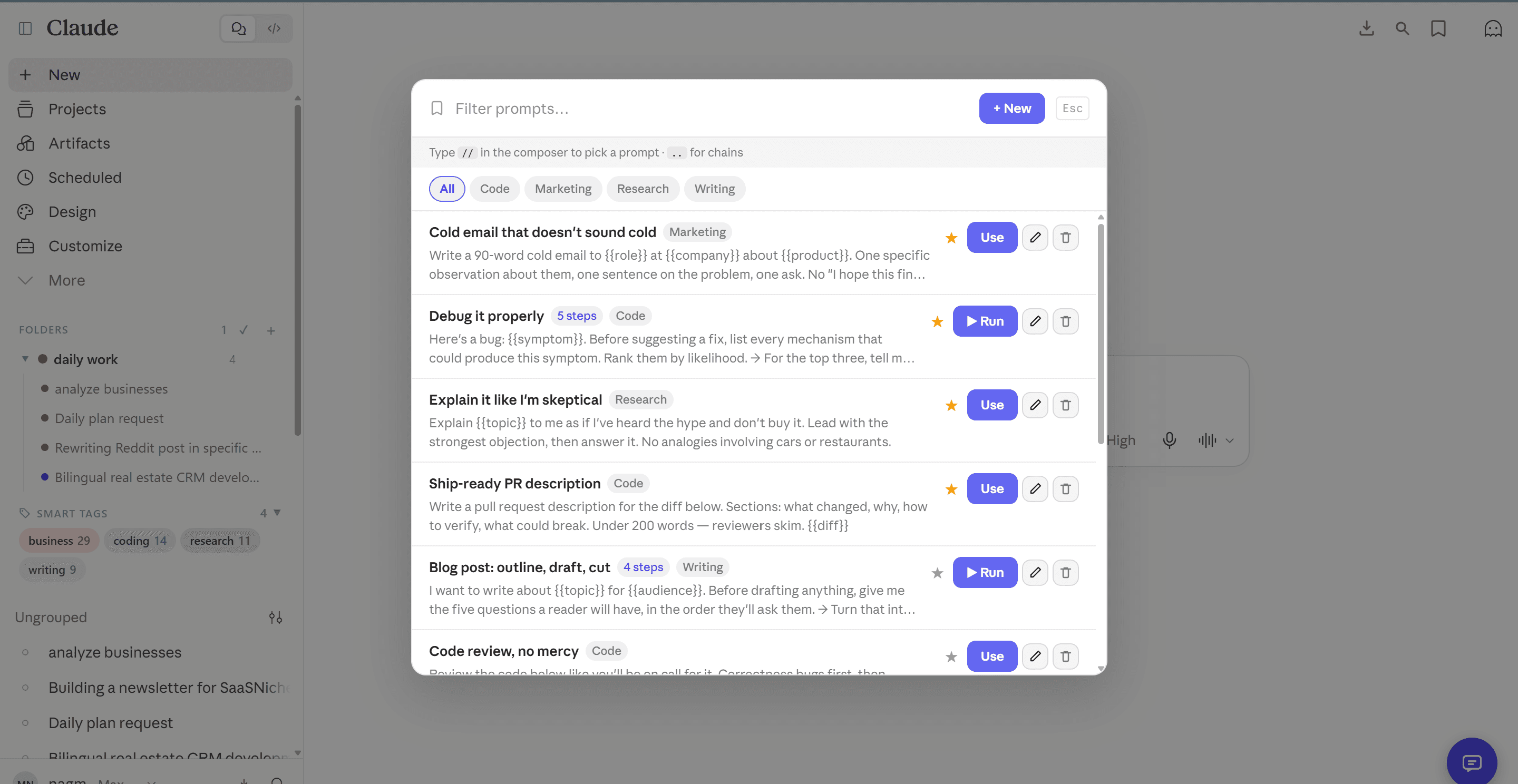
Type two forward slashes anywhere in the composer and a picker appears above the cursor. Keep typing to filter by title or category; arrow keys move through the list, Enter or Tab inserts. The trigger text is replaced by the prompt body, so you can carry straight on typing after it. If nothing matches what you typed, the picker offers to save it as a new prompt there and then.
Categories and favourites
Each prompt can carry a category, and favourites sort to the top of both the picker and the manager. Categories are filterable chips, so a collection of thirty prompts narrows to the five that matter with one click. Once you pass a dozen prompts that ordering is what keeps the picker usable — the three you reach for daily stay at the top without you having to scroll past the ones you wrote in January.
Prompt chains
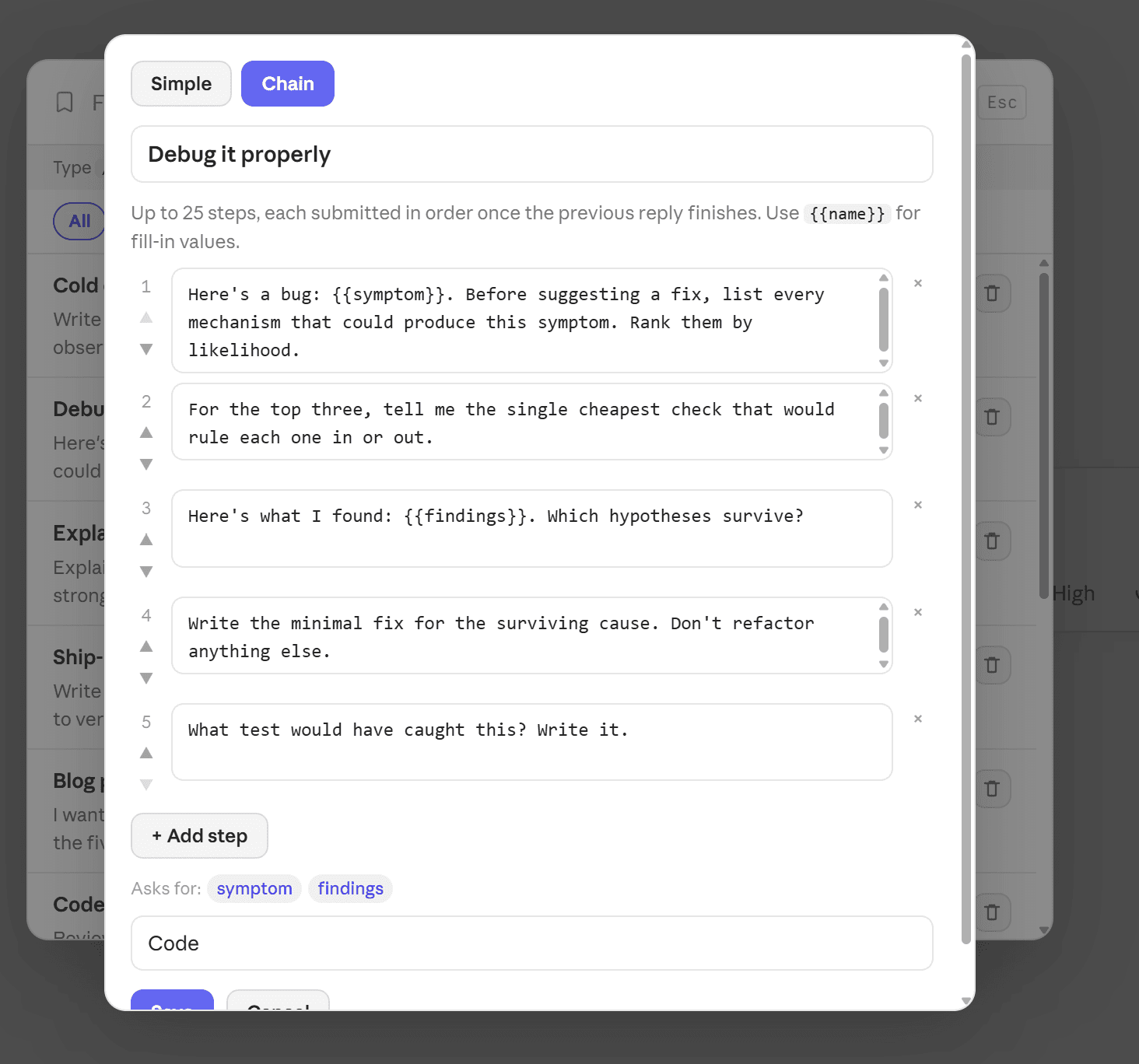
A chain is a prompt with steps instead of a body — up to 25 of them. Trigger one by typing .. in the composer and ChatPeer submits the first step, waits for the assistant to finish responding, then submits the next, and so on. It genuinely waits for streaming to complete rather than firing on a timer, so a long answer doesn't cause the next step to be swallowed. A chain can be stopped mid-run from the indicator that appears while it is working. Chains run on ChatGPT and Claude; they are not available on Grok yet.
Placeholders filled in at run time
Write {{client}} or {{deadline}} anywhere in a chain's steps and ChatPeer asks for those values in a short form before the run starts, substituting them into every step. One chain then covers every client or project rather than needing a copy per variant.
Where to find it
A Prompts button sits under the composer, and Manage Prompts is also in the floating ChatPeer menu alongside the Prompt Library. Free accounts can save 2 prompts; premium accounts have no limit. Chains can be up to 25 steps on every plan, including free.
Starting from the library
You do not have to write everything yourself. The Prompt Library is a curated catalogue of expert prompts, and Save a copy puts any of them into your own collection — where it behaves exactly like a prompt you wrote, editable and extendable into a chain.
Questions about this feature
Manage Prompts holds the prompts you wrote, stored on your device and editable. The Prompt Library is a curated catalogue we maintain, which you read from. Save a copy is the bridge: it takes a library prompt and makes it one of yours.
Yes. Prompts are stored in extension storage rather than per-site storage, so one collection serves all three platforms. Folders and bookmarks are kept separate per platform, because a folder structure for one rarely makes sense for another.
Up to 25, on every plan including free. The step limit isn't a paid feature — the number of prompts you can save is.
A running chain shows an indicator with a Stop button, and stopping it leaves everything already sent in place. Nothing is undone — the conversation simply stops advancing.
No. They're in your browser's extension storage. If you sign into Chrome on another computer, Chrome's own sync may carry them across; ChatPeer never sends them anywhere.
Stop scrolling for it
Free to install. No account required.