Search inside every Claude message
ChatPeer indexes the body of every Claude message on your machine, so the answer you half-remember is one shortcut away, from inside any conversation.
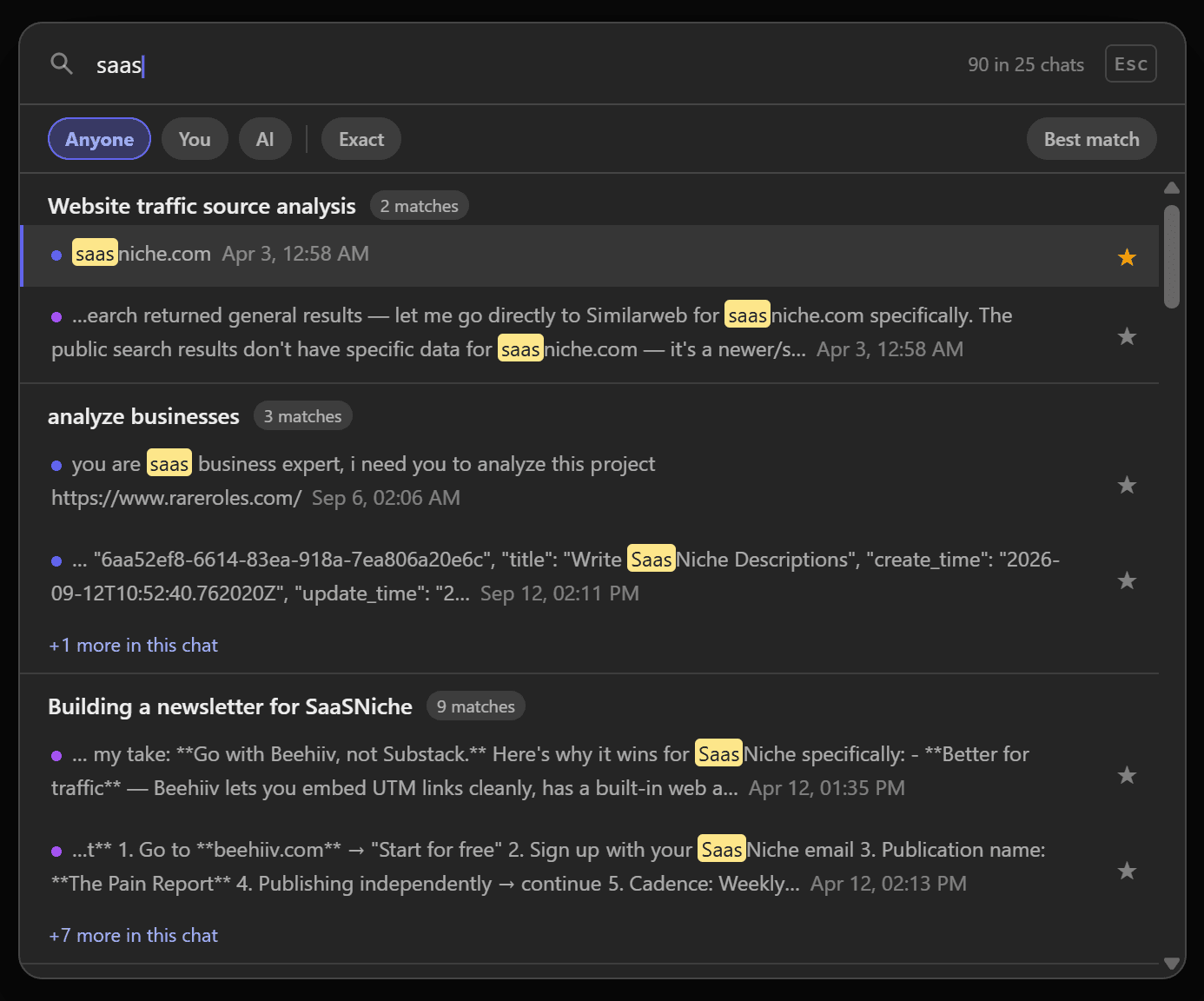
ChatPeer reads your history through Claude's own API, with the session you already have, and builds a full-text index in IndexedDB. The index is queried in the extension's background worker, so nothing about a search leaves your machine.
Press Ctrl+Shift+F anywhere on claude.ai. Type; results group by conversation with your terms highlighted and dated. Enter jumps to the message.
Free shows 5 results per query; premium removes the cap. The Anyone / You / AI and exact-phrase filters are free on every tier.
Claude's own search can find words inside messages, but it lives on a separate Chats page, needs a connection, and can't tell what you wrote from what Claude wrote. ChatPeer syncs your conversation history and builds a full-text index in your browser using IndexedDB — the same technology that powers offline apps. When you press Ctrl+Shift+F (or Cmd+Shift+F on Mac), a search modal opens. Type any phrase, technical term, code snippet, or name that appeared in any message, in any conversation, and results appear in under a second. The index never leaves your browser.
How the local index works
When ChatPeer first loads on claude.ai, it reads your conversation history through Claude's own API (using your existing session — no separate login). It stores messages in IndexedDB and builds a FlexSearch full-text index. Subsequent visits only sync new or updated conversations. The whole thing runs in your browser's background service worker.
Search filters
The search modal lets you filter by role (user messages only, or assistant messages only), by date range, and toggle exact-match mode. Exact match treats your query as a literal phrase rather than individual tokens.
Result ranking and snippets
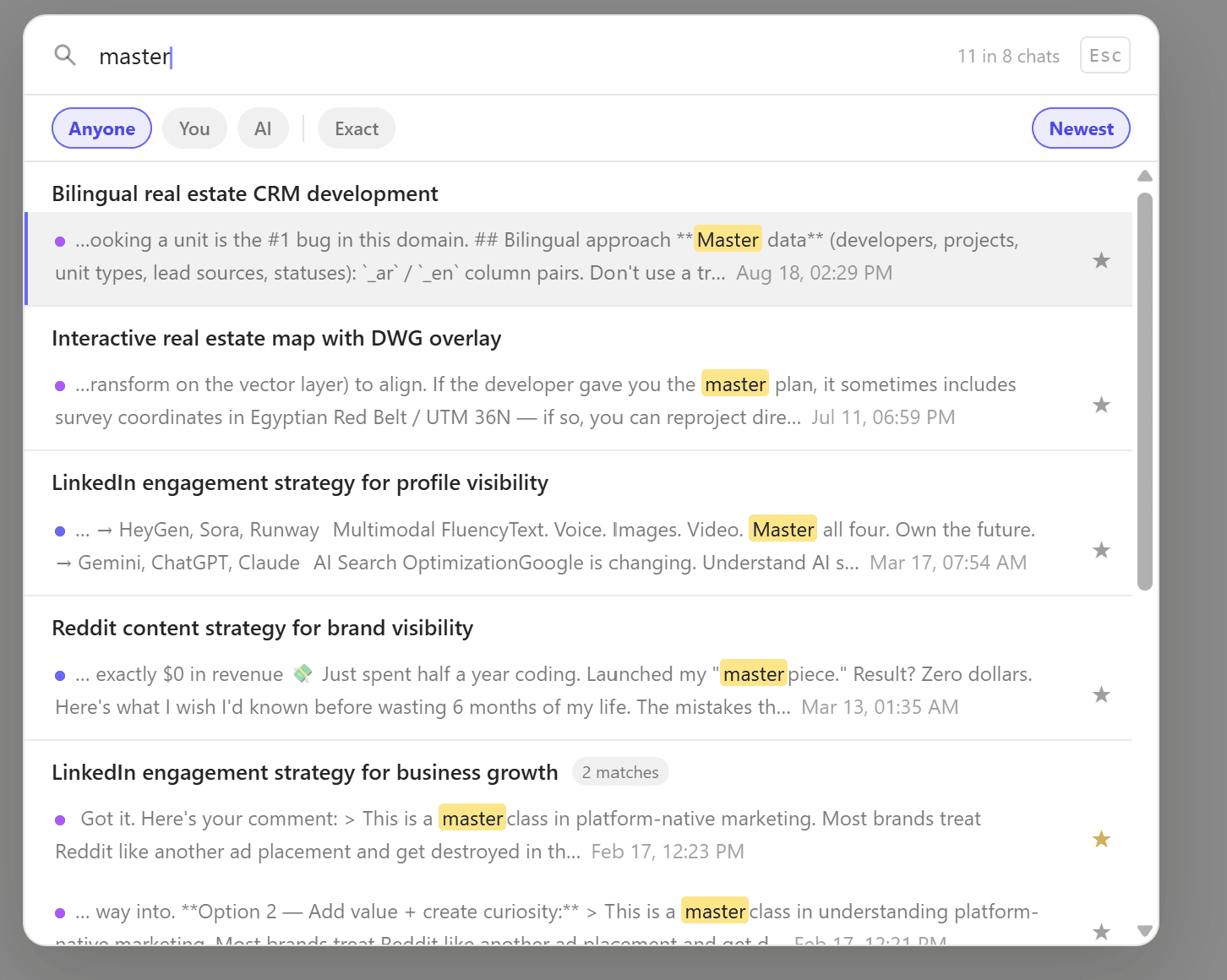
Results are ranked by relevance score. Each result shows the conversation title, a message snippet with your search term highlighted, the message timestamp, and a platform badge. Click a result to navigate directly to that conversation.
Free tier limits
Free accounts see up to 5 results per search; premium accounts get unlimited results. Searching ChatGPT, Claude and Grok together in one window is a separate feature — cross-platform search — and requires the All Access plan.
Questions about this feature
Yes. The index is local, so search and export both work with no connection.
They're indexed as you open them, and you can run a one-off pass over your history from settings.
Stop scrolling for it
Free to install. No account required.