A ChatGPT conversation as a real PDF
Print-to-PDF captures the interface around the conversation. ChatPeer builds an A4 document from the conversation itself — colour-coded speakers, timestamps, page numbers.
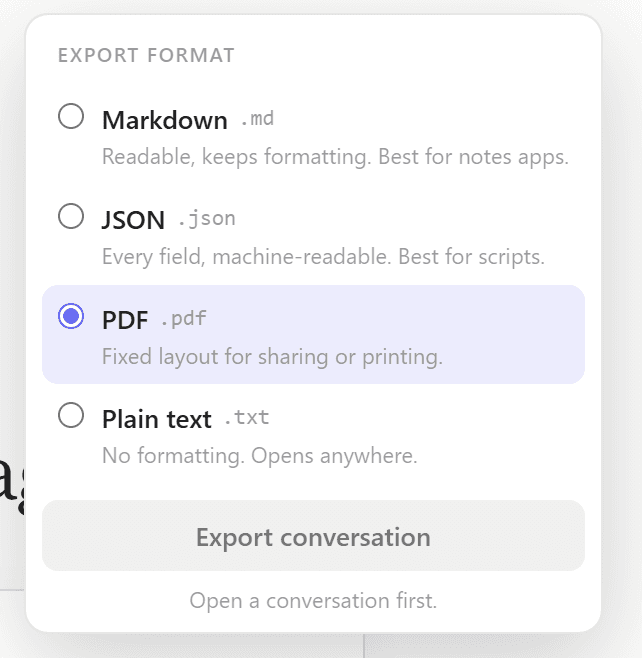
ChatPeer reads the conversation from its local IndexedDB store and passes it through its own PDF writer in your browser. Text wrapping, monospace code blocks, page breaks and the accent bar per role are all handled there. No server renders the file, and no third-party PDF library is bundled.
Open the conversation, click Export in the header, choose PDF. The document opens with the title and export timestamp, then one block per message with its role label and time. Long threads paginate automatically.
PDF export is premium; TXT is free. Pages are A4 — Letter is on the roadmap. Tables, LaTeX, canvas content and file attachments are not rendered.
There are a handful of ways people want to save ChatGPT conversations as PDFs: sharing with a colleague who doesn't use ChatGPT, archiving a research thread, submitting AI-assisted work for review, or simply having a readable offline copy. Browser print-to-PDF works, but it captures the full page interface, advertisements, and navigation — not a clean document. ChatPeer's PDF export generates a proper A4 document directly in your browser. User messages get a blue left border; ChatGPT's responses get violet. Timestamps are included. Page numbers appear at the bottom. The file is written by a PDF writer built into the extension itself, entirely client-side — your conversation content is never uploaded to generate the PDF.
How PDF generation works
ChatPeer reads the conversation from its local IndexedDB store — the same data it uses for search and other exports. It passes each message through ChatPeer's own PDF renderer, which handles text wrapping, code blocks in monospace, page breaks, and the coloured accent bar for each role. The finished PDF is saved to your downloads folder.
Document structure
The PDF opens with the conversation title and export timestamp. Each message is a block with a 3mm coloured accent bar on the left edge, the role label (You / ChatGPT) in small caps, the message timestamp, and the message body. Code blocks render in a slightly indented monospace style. Long conversations paginate automatically.
Privacy: no server involved
PDF generation is entirely local. The writer is part of the extension and runs in your browser — ChatPeer ships no third-party PDF library, so there is no bundled code that could reach for a remote script. The conversation content never leaves your device during this process, and ChatPeer's servers are not involved in rendering the file.
Limitations
The PDF renderer handles plain text and code blocks well. Complex formatting — tables, LaTeX, or embedded images from ChatGPT's canvas feature — may not render perfectly. The larger limitation is alphabet: the built-in writer uses a core PDF font, which covers English and the Western European languages but not Arabic, Hebrew, Cyrillic, Greek, or CJK. ChatPeer detects those characters and refuses the export rather than writing a page of question marks, and points you at Markdown, which keeps every character. Embedding a full Unicode font is on the roadmap.
Questions about this feature
PDF export is a premium feature. TXT export is available on the free tier.
The current version generates A4 PDFs. Letter size support is on the roadmap.
Image and file attachments are not included in the current PDF export. Only the text content of messages is exported.
Stop scrolling for it
Free to install. No account required.